
First-Class Local AI & Embeddings
Connect local LLMs via Ollama, LM Studio, or vLLM, run pure-local ONNX embeddings for semantic memory, or play instantly with zero-GPU built-ins that require no setup.
Local-First · AI-Powered · Custom Worlds & Rules
Craft original worlds with AI-assisted generation, build custom tabletop rules with automated test scenarios, and embark on solo campaigns with local AI as a first-class citizen. LocalRPG brings your adventures to life with multi-voice narration, speech-to-text dictation, style-pack scene imagery, and shareable visual novel exports.
Capabilities
From custom mechanics to living lore, LocalRPG gives you complete creative freedom. Bring your own local AI models, immerse yourself in spoken dialogue and generated imagery, and capture your story forever.
Connect local LLMs via Ollama, LM Studio, or vLLM, run pure-local ONNX embeddings for semantic memory, or play instantly with zero-GPU built-ins that require no setup.
Author factions, locations, and starter lore by hand, or generate complete, cohesive settings with schema-first AI pipelines, batch entity expansion, and draft review.
Design dice mechanics, outcome tiers, and character creation prompts with worked examples in Systems Studio, and prove system balance with automated test scenarios.
Bring scenes to life with curated art style packs and procedural vector art, preserving permanent world aesthetics while reflecting dynamic character appearance changes.
Hear prose narrated aloud while NPCs speak with distinct voice profiles and pitch. Take your turns hands-free using click-to-talk speech-to-text dictation.
Relive adventures in visual novel Theatre Mode, share worlds and rules via standalone content packages, and export complete campaigns as web bundles or rendered video.
The look
A tour of the studios, the theatre and the codex.
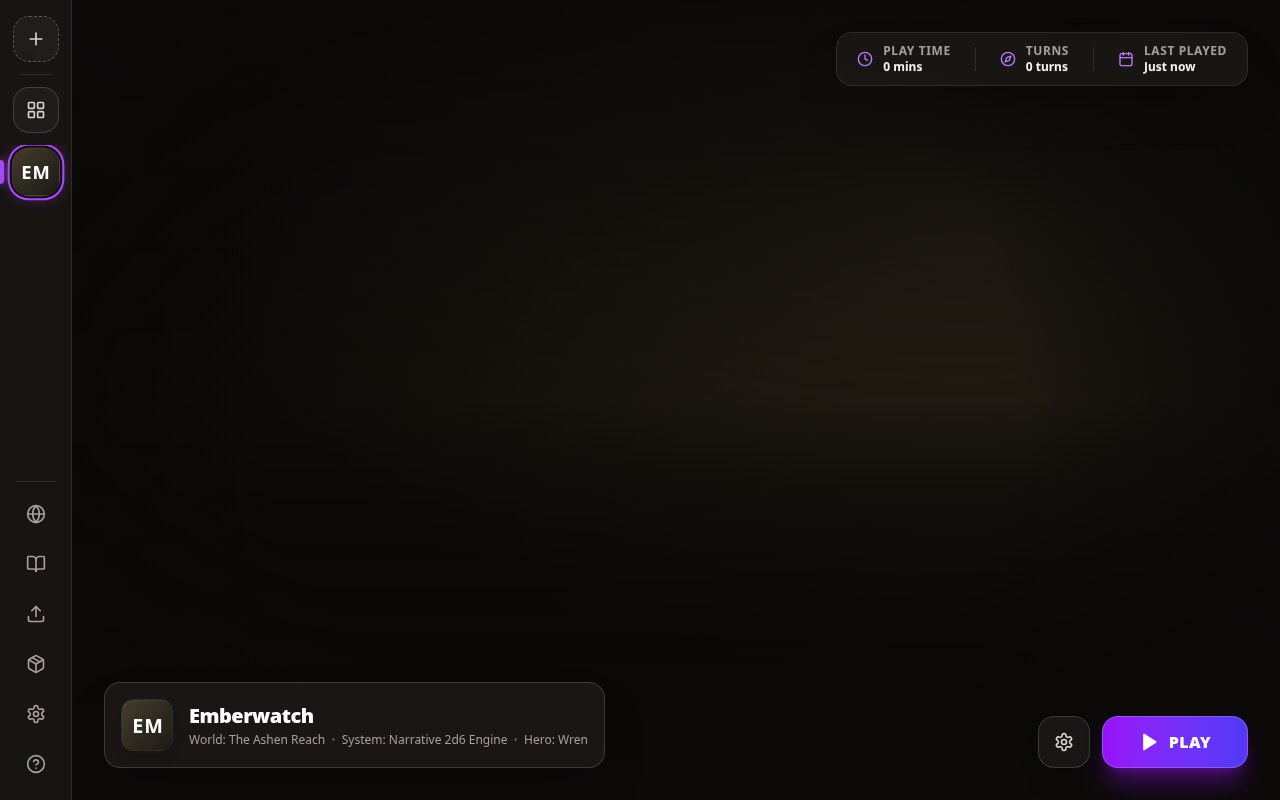
Campaigns, worlds, and systems dock with quick-start creation wizards, ready for immediate play.
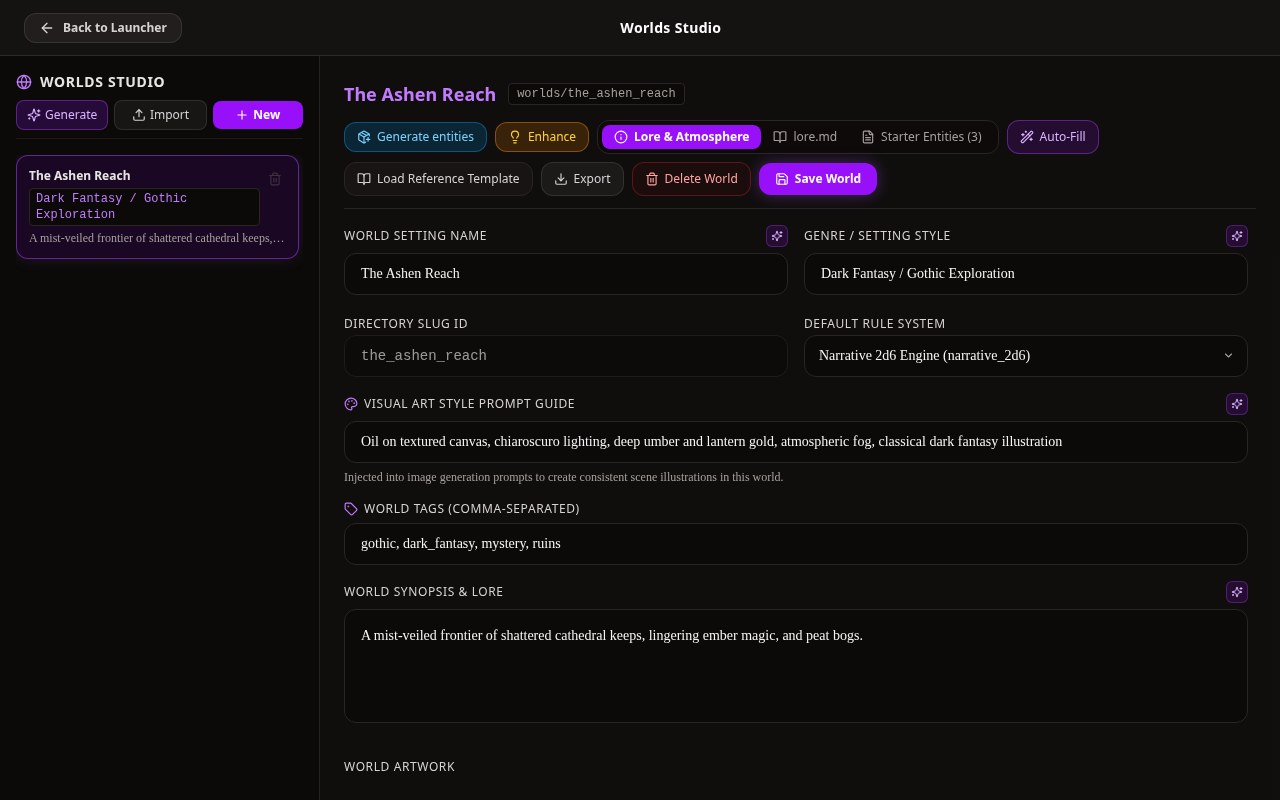
Author factions, lore, and entity trees by hand or generate complete settings with AI pipelines.
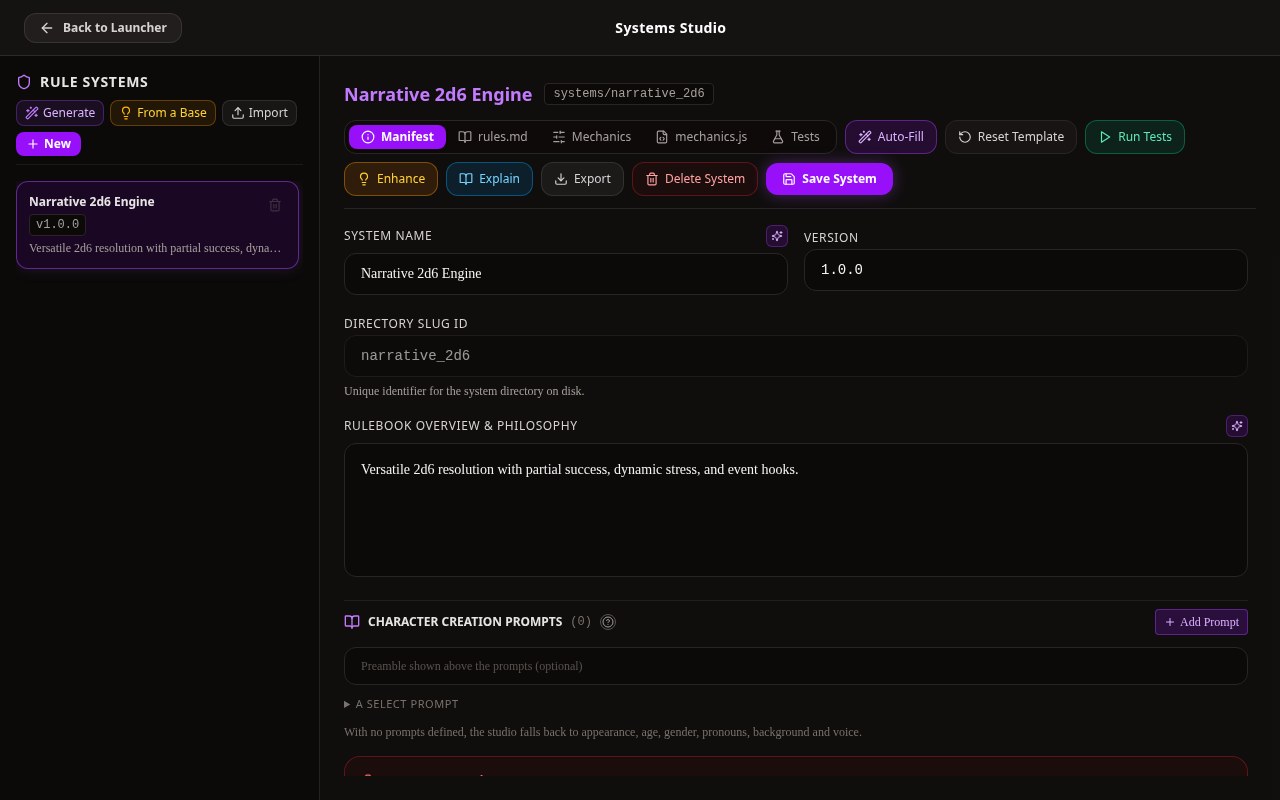
Craft dice mechanics and action modes with worked examples, and verify balance with test scenarios.
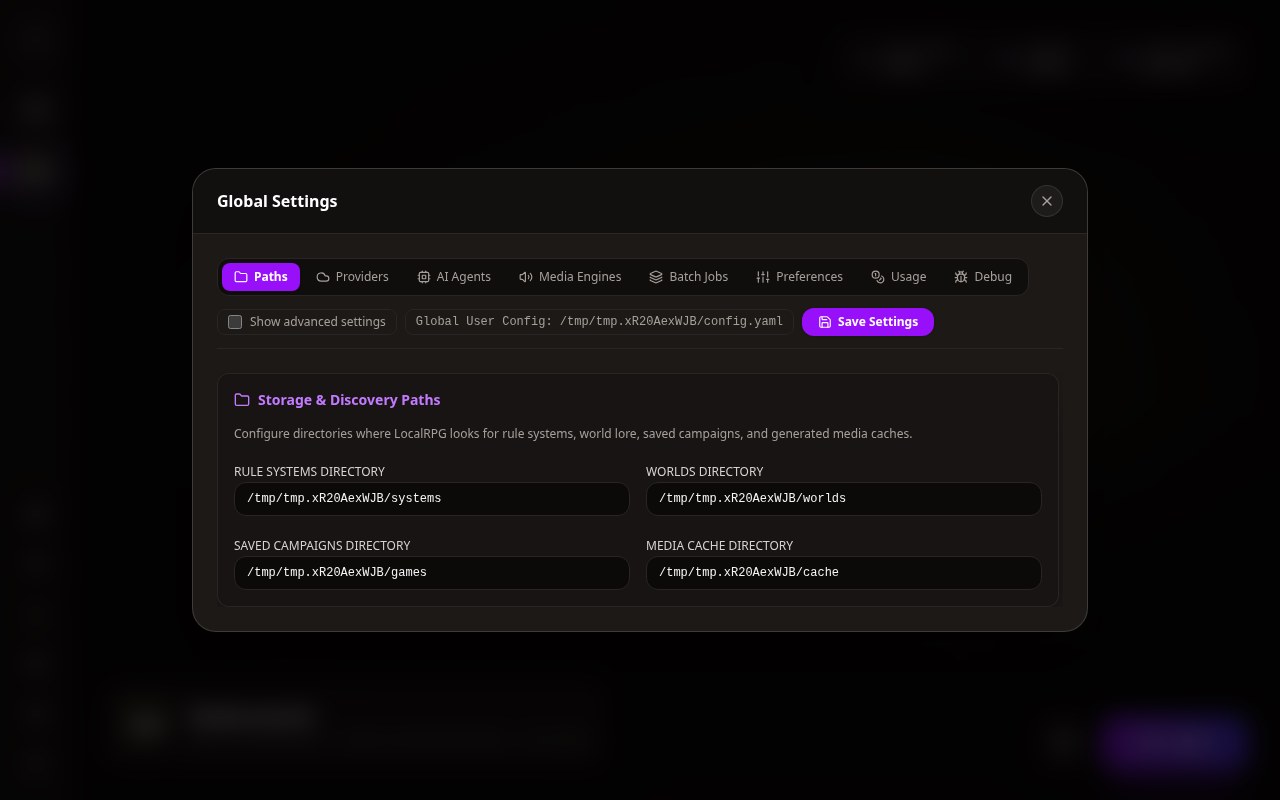
Configure local LLMs, ONNX embeddings, multi-voice audio, and media engines across structured tabs.
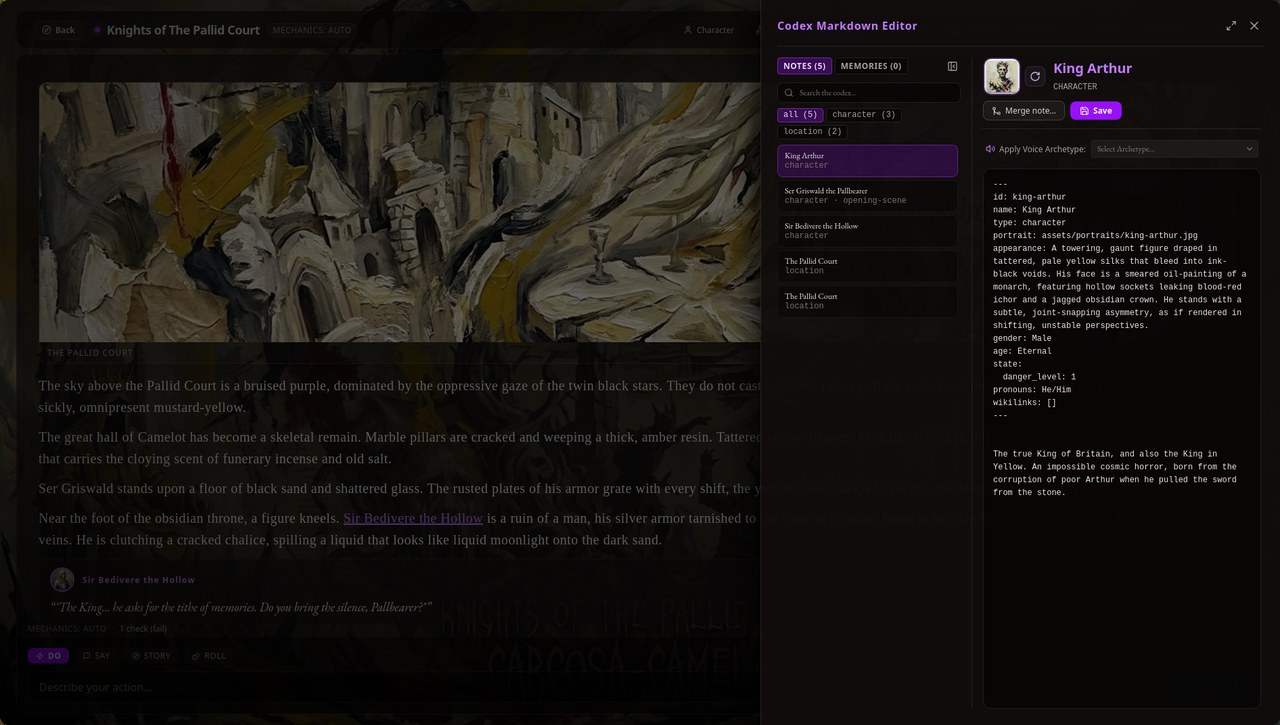
Inspect wikilinked entity lore, track dynamic character appearances, and customize voice profiles.
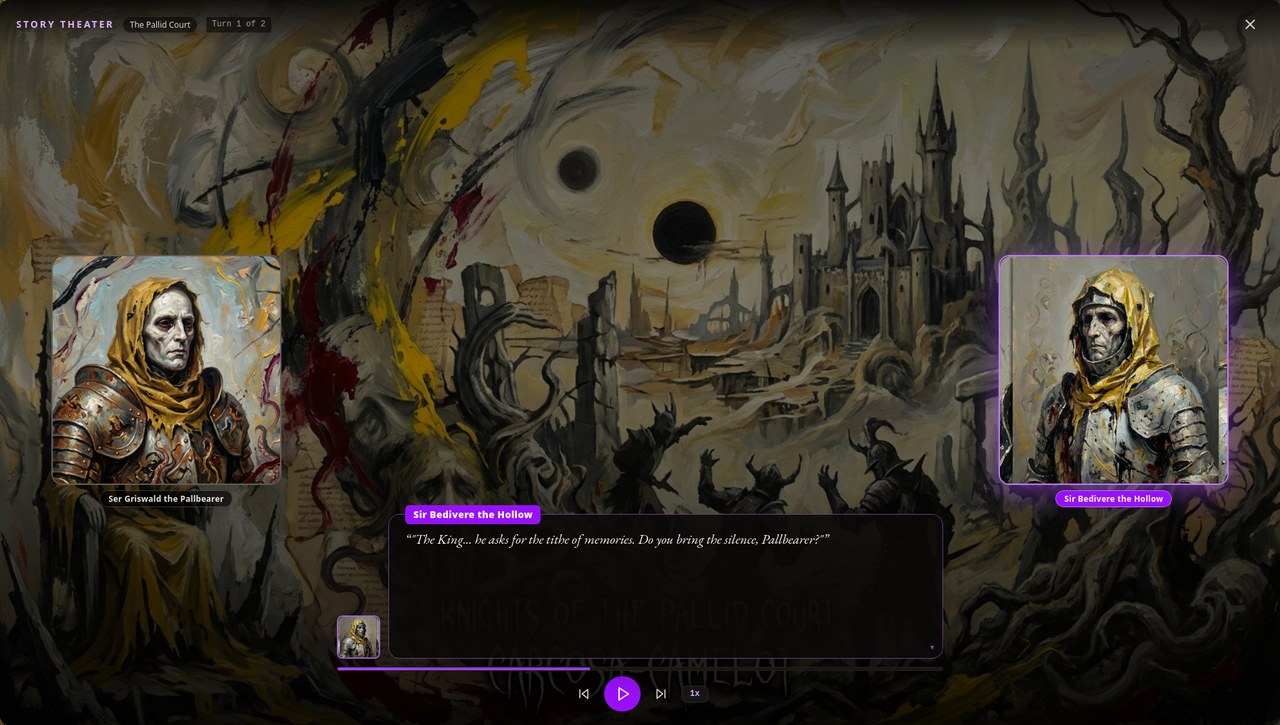
Replay campaign scenes as an interactive visual novel, spoken in each character's distinct voice.
Get started
# Fetch dependencies and build
mise run setup
mise run build

# Launch the desktop app
bin/localrpg gui
Configure your preferred local AI models in Settings Studio, or jump straight in with the built-in zero-GPU storytelling engine.
# Or export an existing campaign as a standalone web bundle
bin/localrpg export web my-campaign --out dist/

# Or render your campaign into a shareable video
bin/localrpg export video my-campaign --out campaign.webm
Design custom worlds and mechanics in the built-in studios, start a new campaign, and export your journey when complete.
Documentation
These articles are read straight out of the repository and embedded into the binary, so what you read here is what the Help panel shows in-game.